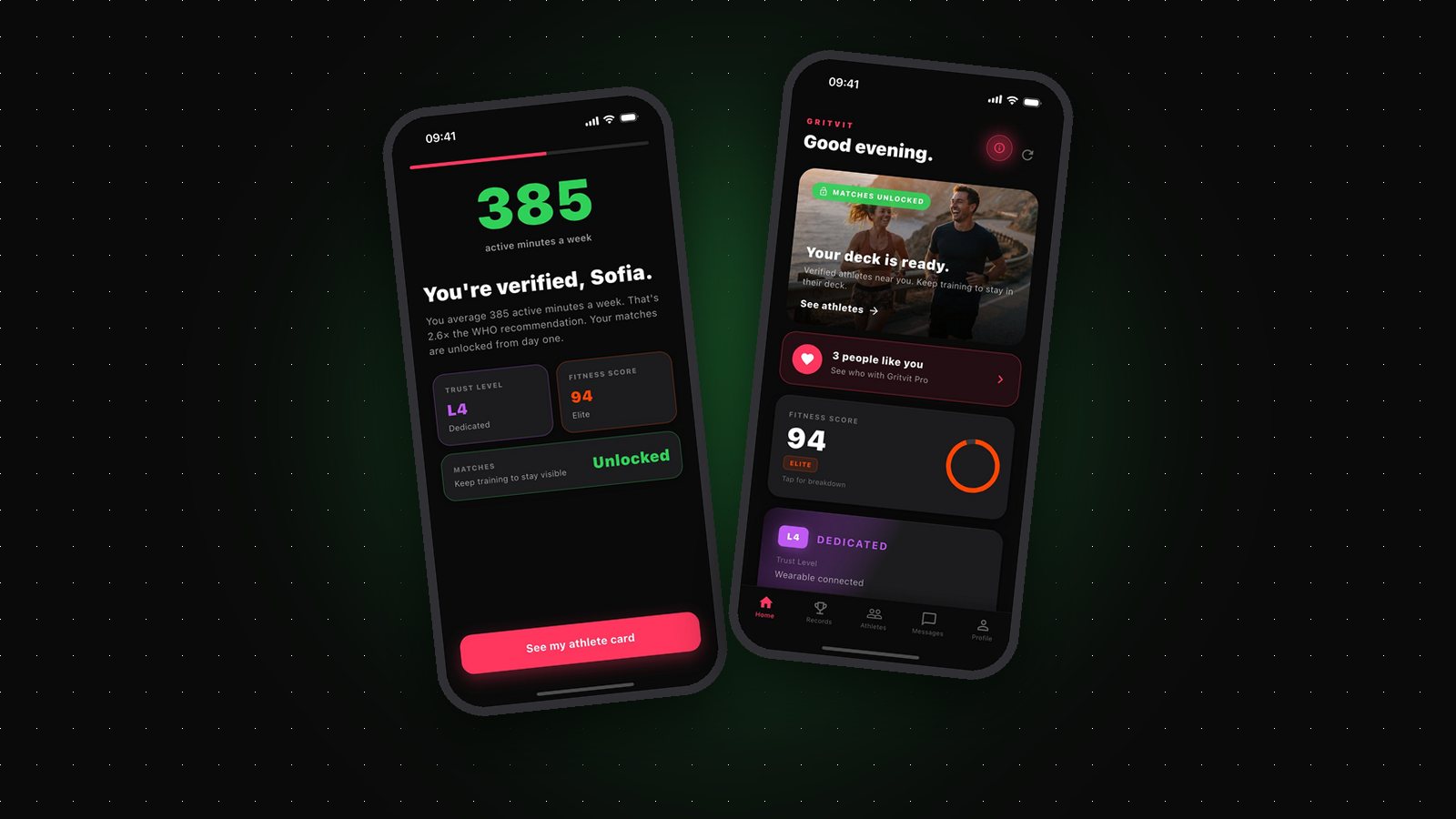
Most dating apps let anyone start swiping within five minutes of download. Gritvit is the dating app you have to earn: your matches only unlock once your real activity data shows you actually train — and they stay unlocked only as long as you keep training.
It sounds strict, but for most active people it's invisible. If you already move regularly, you'll likely unlock on day one. Here's exactly how the match gate works, how to make sure your training counts, and how to keep your matches live.
The three ways to unlock matches
Gritvit doesn't ask you to fill in a questionnaire about how often you work out — anyone can tap "5 times a week." Instead, it reads your activity from Apple Health and checks it against three goals. Hit any one of them and your matches unlock:
- 150 active minutes a week, averaged over the last 14 days — the World Health Organization's activity guideline.
- 4 workouts in the last 14 days — runs, rides, gym sessions, classes, swims, hikes, padel, anything tracked as a workout.
- 50,000 steps in the last 7 days — roughly 7,000 a day, which a walking commute and a couple of longer walks can cover.
Already active? You unlock on day one
There's no waiting week and no in-app task to perform. During onboarding, Gritvit looks back at your last 30 days of Apple Health data. If you've been training, the goals are already met and your matches open straight away.
Whatever you already track counts: an Apple Watch gym session, a Garmin ride, a Fitbit workout, or a GPS-tracked run or walk straight from your phone. You don't need a smartwatch — your iPhone alone records steps, distance, and GPS workouts. And there's no manual logging anywhere, which is exactly why the gate means something: nothing can be typed into existence.
If you're not there yet, you're closer than you think: a couple more tracked workouts or a few long walks over the next week or two is usually all it takes to clear one of the goals.
How to make sure your training counts
- Grant health permissions during onboarding. The most common reason someone active doesn't unlock isn't missing workouts — it's permissions that were skipped or denied, so Gritvit can't see anything.
- Track every session. A workout that never reached Apple Health doesn't exist as far as verification goes. Start your watch, or use your phone's workout tracking for outdoor sessions.
- Check your sync. If you use a Garmin, Fitbit, or another wearable, make sure its companion app is set to write workouts into Apple Health.
- Pick the goal that fits your life. Lifters usually clear it on workouts, runners on active minutes, and people who walk a lot on steps. You only need one.
Keeping your matches: it's checked continuously
The gate isn't a one-time exam. Gritvit keeps checking your activity against the same three goals. Stop training and your matches pause — you're also hidden from other people's decks — until you're back above a goal. Your Fitness Score follows the same logic: around day three without activity it starts to decay and you'll get a warning, by day five your matches start pausing, and by day eight the score resets.
That sounds harsh until you see what it buys you. On other apps, a profile can sit in the deck for months after its owner stopped living the life it advertises. On Gritvit, everyone you see is training now. Rest days are fine — the goals are measured over 7 and 14 days, so a normal week with recovery built in never comes close to pausing anything.
And no subscription changes this. Gritvit Pro adds extras like seeing who already liked you, unlimited likes, and Rewind, but Pro never skips the fitness gate. Chat is free for everyone once you match.
Why the gate exists
The core promise of Gritvit is simple: everyone you match with actually trains. The gate costs active people almost nothing — they were training anyway — and costs everyone else the one thing they can't fake: showing up.
So treat it less like a hurdle and more like a handshake. Everyone on the other side of it has already proven the thing that matters most to you, and you've proven it to them.