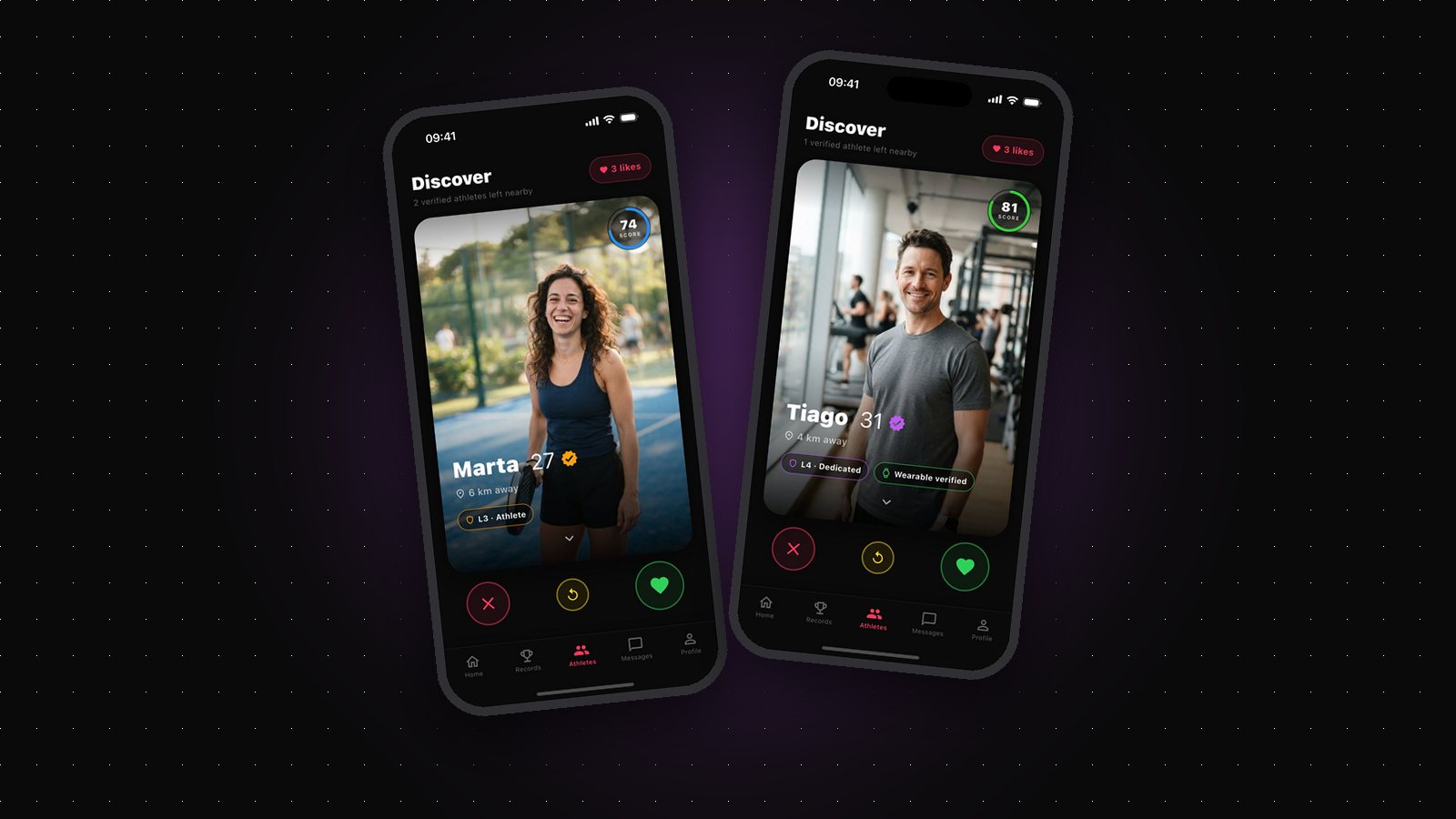
Every Gritvit profile carries a Trust Level, from L1 to L5. It sits next to your Fitness Score, but the two answer completely different questions. Your Fitness Score says how active you are right now. Your Trust Level says how much the data behind your profile can be believed.
That distinction confuses new users, so let's clear it up properly: what each level means, how you move up, and why the badge exists at all.
Trust Level measures credibility, not performance
The first thing to understand is what Trust Level is not. It is not a fitness ranking. An L5 user isn't necessarily fitter than an L2 user — they simply have more credible data behind their profile. Trust Level reflects the quality and verifiability of the workout data flowing into Gritvit, not how hard you train.
Why does that matter? Because on any platform where activity is a status signal, people look for shortcuts. Trust Level exists so that when you see a profile, you know how much weight to give the numbers on it. It's a credibility badge, plain and simple.
The five levels
- L1 "Basic Mover" — where everyone starts. Your activity comes from your phone's own sensors, and the system hasn't seen enough to vouch for more yet.
- L2 "Verified Active" — at least one logged workout in the last 14 days, synced in from Apple Health.
- L3 "Athlete" — the highest level you can reach with phone-tracked workouts alone. GPS-verified outdoor runs, rides, and hikes from your phone carry you here.
- L4 "Dedicated" — requires a wearable with heart-rate data. An Apple Watch, Garmin, or Fitbit feeding data into Apple Health is the gateway to this tier, and indoor athletes can go straight from L2 to L4.
- L5 "Elite" — the top of the ladder, also wearable-only: a wearable with heart-rate data plus 30 consecutive days of wearable data. An L5 badge means a long, consistent history of hardware-verified training stands behind that profile.
Why wearables gate the top tiers
Phone GPS workouts are real data, and they're enough to reach L3. But a wearable records training at a level that's much harder to fake — the device is on your body, capturing the session as it happens. That's why L4 and L5 require one.
This isn't gatekeeping for its own sake. The top tiers exist so the people you're dating have a signal that's nearly impossible to game. If you train with a watch or band you already own, you're most of the way there — Gritvit reads everything through Apple Health on your iPhone, with no manual logging.
Trust Level unlocks nothing — on purpose
Here's the design choice people don't expect: Trust Level gates zero features. L1 users and L5 users have access to exactly the same app — what unlocks matches is your activity itself, not your badge. The badge is purely something other people see on your profile.
That's deliberate. The moment a badge unlocks features, people optimize for the badge instead of the training. By keeping it a pure signal, Gritvit keeps the incentive where it belongs — on showing up and doing the work. The badge follows the habit, not the other way around.
Can you lose a Trust Level?
Yes. Trust Level is tied to an ongoing data relationship, not a one-time achievement — it's recalculated from your recent data. L2 depends on a workout in the last 14 days, and L5 on an unbroken 30-day run of wearable data, so a long break takes you back down. That keeps every badge current: an L4 next to a profile means verified training recently, not verified training once, two years ago.
The good news is the path back is the same as the path up — sync your workouts, stay consistent, and the level rebuilds. There's no trick to it, which is exactly the point.